Jamie
JamieHaving a variety of online video editing tools to test for use may not always be easy. With more introductions of new AI tools to serve as add-ons for creators and professional designers, there is only a lot more to experiment with.
However, there is the possible downside of the time spent trying out the tools and the desirable results. Some AI tools can fall short of expectations after a lengthy signup process. And they may not be worth the overall time.
Using the Vmake AI is a different experience. The video editing solution tool is a plus for editors, reducing randomness. Typically, it ticks multiple positive boxes for video editing enthusiasts.
Fluid Experience: User Interface
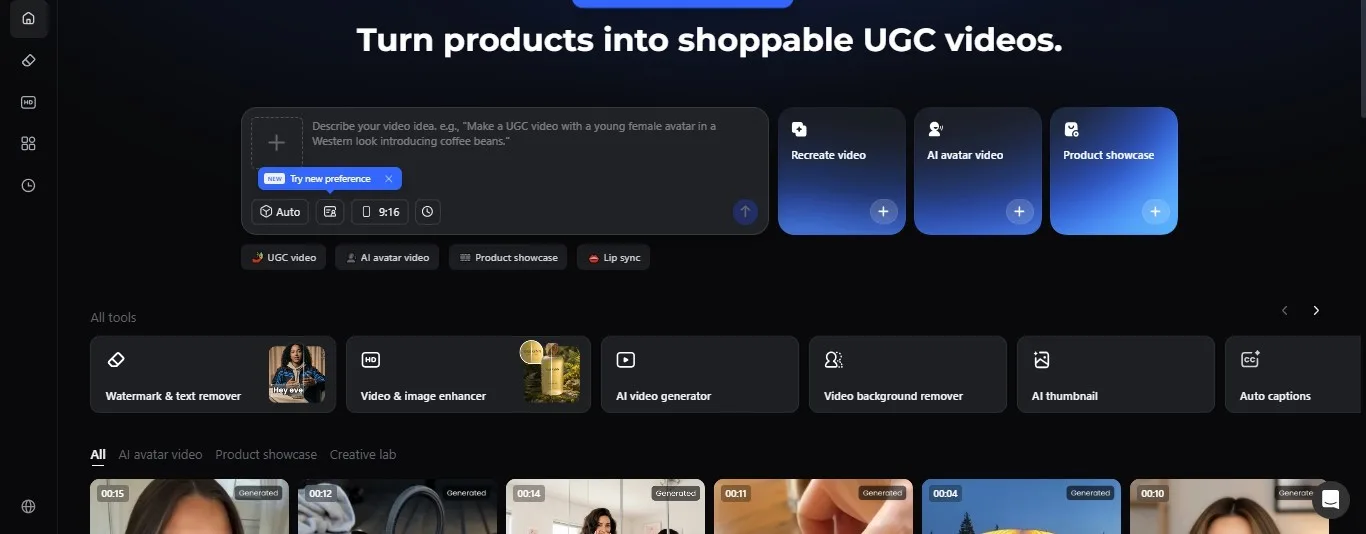
Going through the Vmake AI workspace offers a smooth experience without the hassles of navigating through the pages – especially for new video editors who are just starting.
The user interface is naturally intuitive, and the editing tools are located in a horizontal layer across the homepage. This layout makes it easier to locate and try preferred editing tools with a simple click. No back and forth.
As an online video editing workspace, it puts behind the lag that may characterise offline software. The Vmake AI also supports uploading media files from a device as a single or batch, with a seamless workflow.
The user prompt and processing are within a few minutes, saving time while delivering a fluid experience.
An All-Around Workspace
The Vmake AI offers more than a simple editing solution and a task-testing tool. It is a workspace with multiple video editing tools. And fine-tunes every detail to produce a quality result.
With the free video enhancer, users can upscale video quality to high resolution and give it a more engaging appearance.
Recording videos can feature muffled background sounds or distracting noises. Trying out the Vmake AI for a fix removes these issues in minutes.
As a creator, the AI thumbnail generator gives you an edge in creating an attractive preview for your social media followers.
The auto-captions add-on makes video content more explanatory, and with features like the watermark remover, the AI offers an all-around workspace for solving every editing need.
The Vmake Video Enhancer
Having a low-quality video can be worrying, particularly when you want to share it on social media. More so, in this situation, as a user, you may have less control over the fix.
These include videos downloaded from a fixed source and/or recorded with a mobile device camera that meet quality specifications. Here, you may only need to manage what is available without any extra edits.
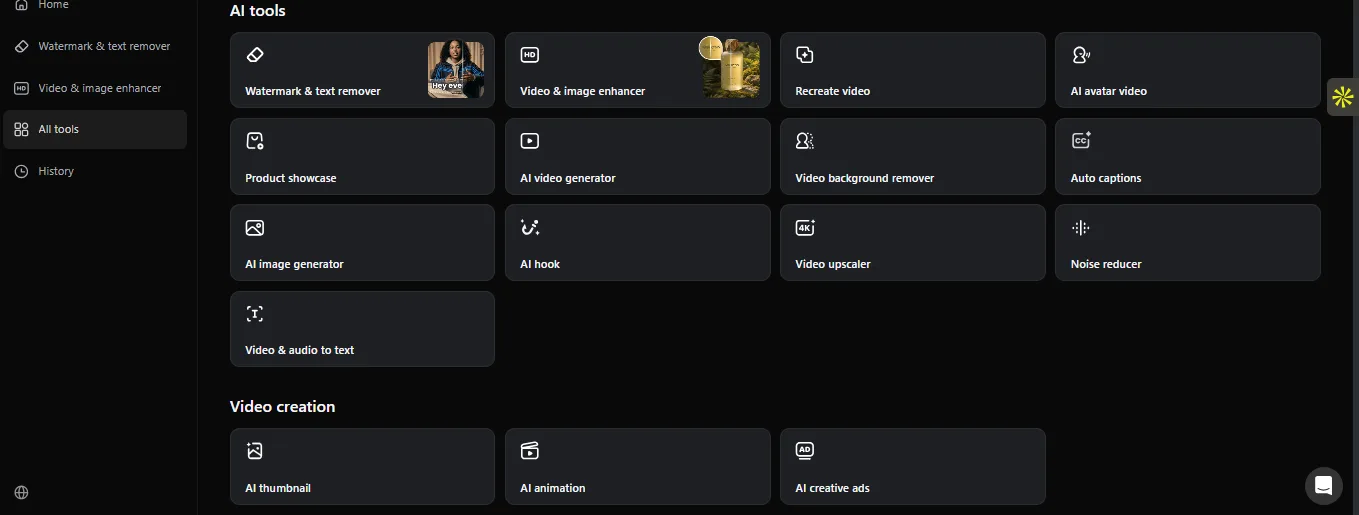
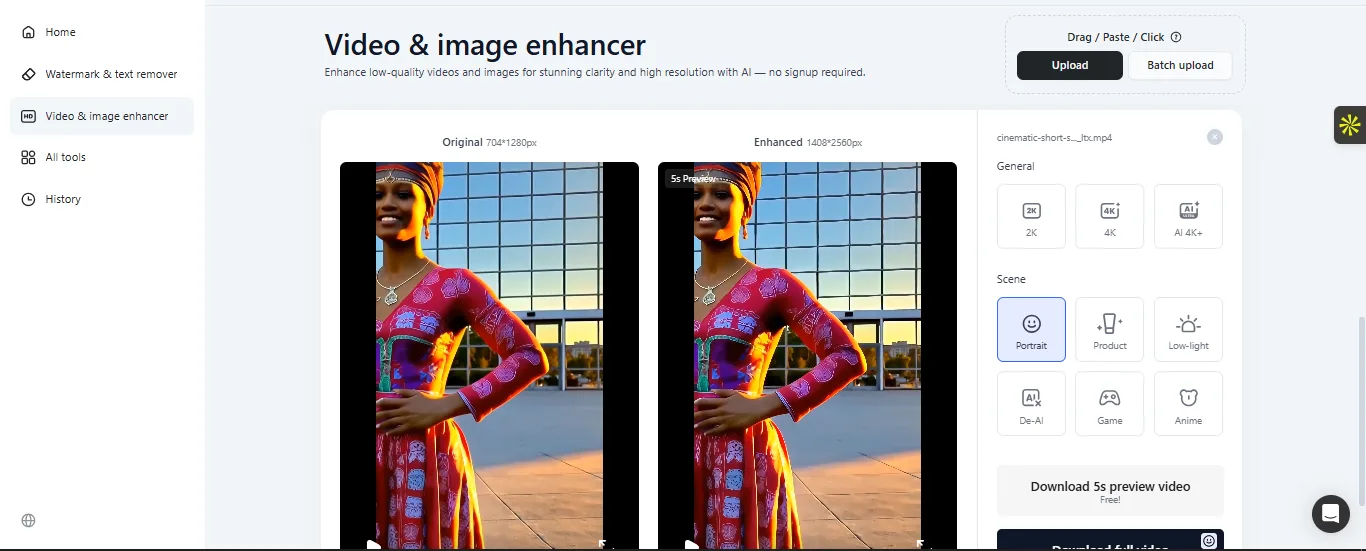
The Vmake Video Enhancer is a game-changer for improving low-quality content. And it is one of the AI’s top features, along with the watermark remover. With an optimizable setup, the editing tool automatically upscales video and image quality.
Even better, it is not just a one-size-fits-all tool for adjusting all video content; it works with RAW, AI-generated, and image content. The AI video upscaler features multiple modes for different kinds of images or videos uploaded to the online page.
With the AI 4K mode, users can improve video resolution to peak quality, regardless of the default video size, whether 720P or 2K.
While shooting a short-range video can have downsides, portrait mode is better suited to portrait-like videos, delivering the best output and experience.
From the Game to Anime mode, the Vmake’s enhancer narrows down video editing to the basics. With low-light features, the AI ensures a brighter view, preventing fading in videos.
How Much Does the Vmake AI Cost?
Vmake AI, like a few video editing tools, comes with a modern interface and setup that look appealing by default. As a first-time user, the look and feel make the overall experience seamless. And there are no hassles in navigating through every layer of the page that you need to.
Although using key features on the webpage does not require a sign-up, you can entirely try out some editing tools without creating an account. However, using the Vmake AI is not entirely free. If you want to go beyond the basic mode, there’s a cost.
The Vmake AI offers a free trial for users to perform simple edits. While visitors can create an account, the AI provides 20 free credits for daily sign-ins and 50 for sign-ups.
These credits come as a login bonus. The free mode allows trials of limited AI models for the tools, including the watermark remover.
The Plus plan with extended features offers up to 1,000 credits per month. With these credits, users can try out the video enhancer and thumbnail generator 10 times daily.
Even better, this mode supports 1080p export resolution. If you are looking to download edited videos on your device, you can export them at a high quality.
To help creators do more, the Pro mode offers 4,500 credits per month for a subscription fee of $29.99/month.
In this mode, you can access the tools up to 50 times every day and export your videos in 2K and 4K resolution.
Conclusion
The Vmake AI is a packed video editing tool that offers much more with comprehensive features. Away from personal use, the tool is ideal on the side and to improve a video editor’s workflow.
It not only saves time but also makes the editing process much easier. The AI fixes the output with a professional touch.
From the video processing to frame textures, the AI tool puts everything in place. If you are also looking to scale your small business through promotions or develop product content that meets the demands of today’s e-commerce, the Vmake AI is not out of place in furthering your goals.