Jamie
Jamiewp:paragraph
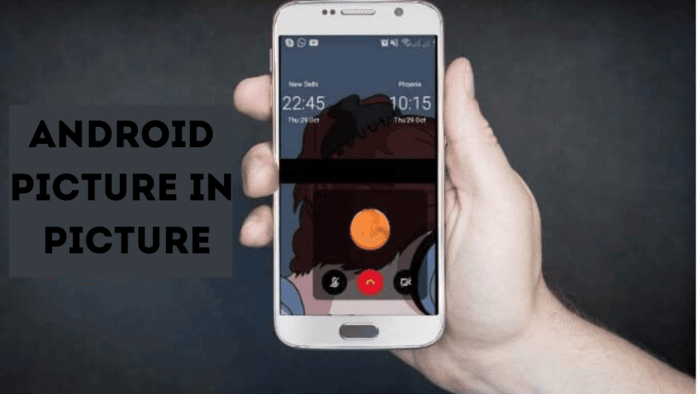
This guide shows how to use picture-in-picture (PiP) on Android devices. It works on any Android running version 8.0 or higher.
/wp:paragraph
wp:paragraph
You can turn it on in settings and use it with supported apps.
/wp:paragraph
wp:image {“id”:11975,”width”:”670px”,”height”:”auto”,”sizeSlug”:”full”,”linkDestination”:”media”,”align”:”center”}
/wp:image
wp:paragraph
Here’s what you need to know:
/wp:paragraph
wp:list
- wp:list-item
- Find it in Settings under Apps > Special app access > Picture-in-picture.
/wp:list-item
/wp:list
wp:paragraph
/wp:paragraph
wp:list
- wp:list-item
- Pick an app from the list and turn on the PiP option.
/wp:list-item
/wp:list
wp:paragraph
/wp:paragraph
wp:list
- wp:list-item
- Play a video in full screen, then hit the Home button to start PiP.
/wp:list-item
/wp:list
wp:heading
Turning On Picture-in-Picture for Apps
/wp:heading
wp:paragraph
The PiP setting lives in a special section of your Android Settings. Follow these steps to switch it on:
/wp:paragraph
wp:list {“ordered”:true}
- wp:list-item
- Go to Settings.
- Tap Apps or Apps & notifications.
- Select Special app access.
- On older Androids, tap Advanced first, then Special app access.
- Choose Picture-in-picture.
- Pick an app from the list.
- Slide the Allow picture-in-picture switch to “on.”
/wp:list-item
wp:list-item
/wp:list-item
wp:list-item
/wp:list-item
wp:list-item
/wp:list-item
wp:list-item
/wp:list-item
wp:list-item
/wp:list-item
wp:list-item
/wp:list-item
/wp:list
wp:heading
Starting Picture-in-Picture Mode
/wp:heading
wp:image {“id”:11976,”width”:”668px”,”height”:”auto”,”sizeSlug”:”full”,”linkDestination”:”media”,”align”:”center”}
/wp:image
wp:paragraph
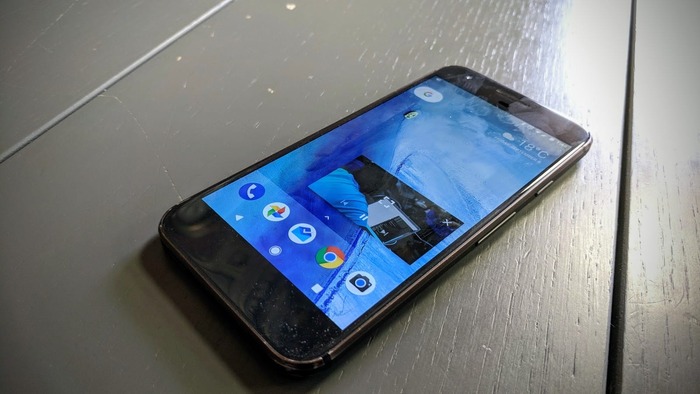
Once PiP is enabled, it’s easy to use. Just play a full-screen video in an app like Firefox, then press the Home button.
/wp:paragraph
wp:paragraph
The video shrinks into a small window. If PiP doesn’t work, update your apps or Android system.
/wp:paragraph
wp:paragraph
The small PiP window shows your video or content. Tap it to see controls like Play, Pause, or Full screen.
/wp:paragraph
wp:paragraph
Some apps show fewer options, like just an Exit button. Others might have a headphone icon to play sound without the video showing.
/wp:paragraph
wp:paragraph
Move the window by pressing and dragging it. Pinch it to make it bigger or smaller. Tap the X or drag it to an X at the bottom of the screen to close it.
/wp:paragraph
wp:heading
Apps That Support Picture-in-Picture
/wp:heading
wp:paragraph
Lots of popular apps work with PiP since it’s built into Android. Examples include:
/wp:paragraph
wp:list
- wp:list-item
- Gmail
/wp:list-item
/wp:list
wp:paragraph
/wp:paragraph
wp:list
- wp:list-item
- Netflix
/wp:list-item
/wp:list
wp:paragraph
/wp:paragraph
wp:list
- wp:list-item
- TikTok
/wp:list-item
/wp:list
wp:paragraph
/wp:paragraph
wp:list
- wp:list-item
- VLC
/wp:list-item
/wp:list
wp:paragraph
/wp:paragraph
wp:list
- wp:list-item
/wp:list-item
/wp:list
wp:paragraph
/wp:paragraph
wp:list
- wp:list-item
- Hulu
/wp:list-item
/wp:list
wp:paragraph
/wp:paragraph
wp:list
- wp:list-item
- Disney+
/wp:list-item
/wp:list
wp:paragraph
/wp:paragraph
wp:list
- wp:list-item
- Google Maps
/wp:list-item
/wp:list
wp:paragraph
For YouTube, US users can use PiP for free with some content, like music videos. Outside the US, or for more content, you need YouTube Premium.
/wp:paragraph
wp:paragraph
YouTube TV also supports PiP. Check the Picture-in-picture menu in Settings to see which of your apps work.
/wp:paragraph
wp:heading
What Does Picture-in-Picture Do?
/wp:heading
wp:paragraph
Picture-in-picture (PiP) is a cool multitasking tool. It puts a video or app content into a tiny box that floats over other apps. This lets you browse the web while watching a video or chatting.
/wp:paragraph
wp:paragraph
It’s perfect for people who use lots of apps at once. PiP works on Android phones with version 8.0 Oreo or newer.
/wp:paragraph