Jamie
Jamiewp:paragraph
Google saves your search history and other data to help you find information faster.
/wp:paragraph
wp:paragraph
But if you want a more private search experience, you can turn off search history on Android.
/wp:paragraph
wp:paragraph
You can’t stop Google from tracking all activity on Android, but you can make searches more private. Disabling history helps create a more natural search experience.
/wp:paragraph
wp:paragraph
If you use an older Android phone, like version 4.1 (Jellybean), follow the steps below to stop search history.
/wp:paragraph
wp:paragraph
We will guide you through the process for newer Android versions (9.0 Pie and later).
/wp:paragraph
wp:paragraph
Note: These steps use a Pixel 7a with Android 14. Your phone may differ slightly, but the instructions will help you find the correct settings.
/wp:paragraph
wp:image {“id”:12052,”width”:”670px”,”height”:”auto”,”sizeSlug”:”full”,”linkDestination”:”media”,”align”:”center”}
/wp:image
wp:heading
Disable Google Search History on Android
/wp:heading
wp:paragraph
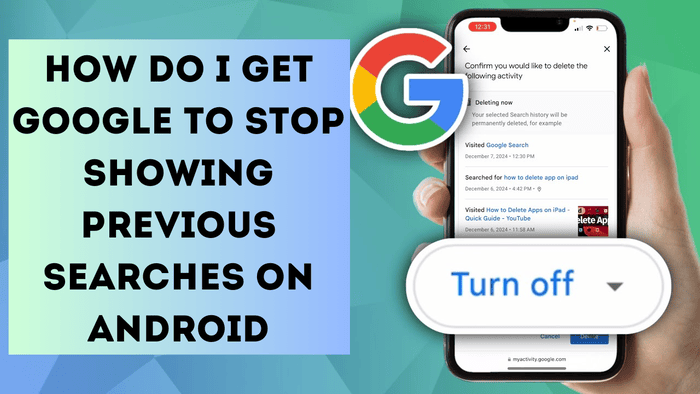
Google records your searches and other activities. However, you can turn off search history for a more private search experience on Android.
/wp:paragraph
wp:list {“ordered”:true}
- wp:list-item
- Swipe down from the top and tap Settings (gear icon).
- Scroll down and select Google.
- Tap Manage your Google Account.
- Go to the Data & Privacy tab.
- Under History Settings, select Web & App Activity.
- Tap Turn off under Web & App Activity.
- Choose Turn off from the dropdown menu.
- A message will confirm that search activity for Google Search, Maps, Chrome, Assistant, and Play Store is off. Tap Got it to finish.
/wp:list-item
wp:list-item
/wp:list-item
wp:list-item
/wp:list-item
wp:list-item
/wp:list-item
wp:list-item
/wp:list-item
wp:list-item
/wp:list-item
wp:list-item
/wp:list-item
wp:list-item
/wp:list-item
/wp:list
wp:heading
Disable Search History and Erase Search and App Data
/wp:heading
wp:paragraph
You can turn off Google search history and remove saved data. Follow these steps to do it quickly:
/wp:paragraph
wp:list {“ordered”:true}
- wp:list-item
- Open Settings > Google > Manage your Google Account > Data & privacy > Web & App Activity.
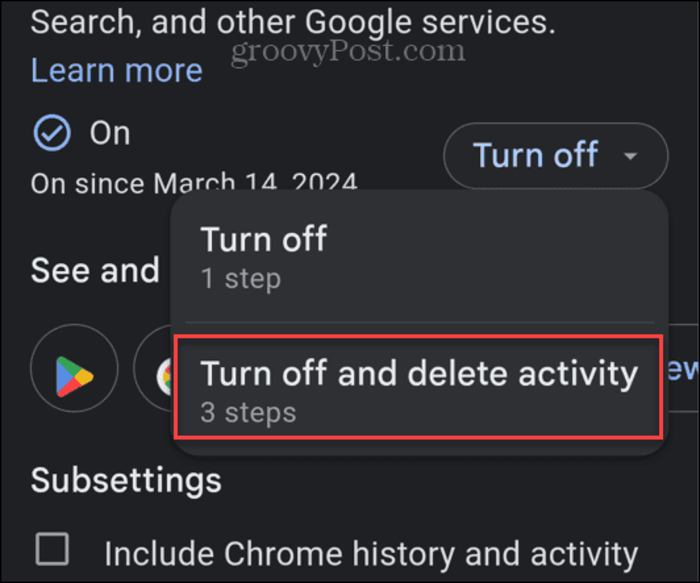
- Tap Turn of, choose Turn of,f and delete activity.
- Select the Google products where you want to delete history, then tap Next.
- On the confirmation screen, tap Delete at the bottom right.
- When the deletion is complete, tap Got it.
/wp:list-item
wp:list-item
/wp:list-item
wp:list-item
/wp:list-item
wp:list-item
/wp:list-item
wp:list-item
/wp:list-item
/wp:list
wp:image {“id”:12054,”width”:”644px”,”height”:”auto”,”sizeSlug”:”full”,”linkDestination”:”media”,”align”:”center”}

/wp:image
wp:heading
Disable Google Search History and More
/wp:heading
wp:paragraph
That’s all. Disabling search history and activity in Google apps removes past searches. You can do this to protect privacy or see results without customization.
/wp:paragraph
wp:paragraph
By default, Google includes all services when you turn off web and app activity.
/wp:paragraph
wp:paragraph
Turning it off and deleting data clears history from Google Search, Maps, Location, Play Store, and other Google services.
/wp:paragraph
wp:heading
Turn Off Recent Google Search History on Android 4.1 and Older
/wp:heading
wp:paragraph
You can turn off Google’s recent search history using an older Android device.
/wp:paragraph
wp:paragraph
Google connects some search history to your account, and you can turn it off in settings.
/wp:paragraph
wp:paragraph
Your browser also saves searches, so you need to remove them separately. Some apps, such as Google Play, keep their search history.
/wp:paragraph
wp:paragraph
To turn off Recent Search History on an Android device, go to System Settings. Open the Settings app or press the menu button on the home screen.
/wp:paragraph
wp:image {“id”:12053,”width”:”658px”,”height”:”auto”,”sizeSlug”:”full”,”linkDestination”:”media”,”align”:”center”}
/wp:image
wp:paragraph
In the Settings menu, tap Google under the Accounts section.
/wp:paragraph
wp:paragraph
On the Google Settings page, tap Search. Under Privacy & Accounts, uncheck Show recent searches.
/wp:paragraph
wp:paragraph
From now on, your Android device will no longer display recent Google searches.
/wp:paragraph
wp:paragraph
Remember that even if you turn off search history and related settings, Google tracks searches internally.
/wp:paragraph
wp:paragraph
However, the Electronic Frontier Foundation (EFF) states that turning off these features can still improve privacy.
/wp:paragraph